
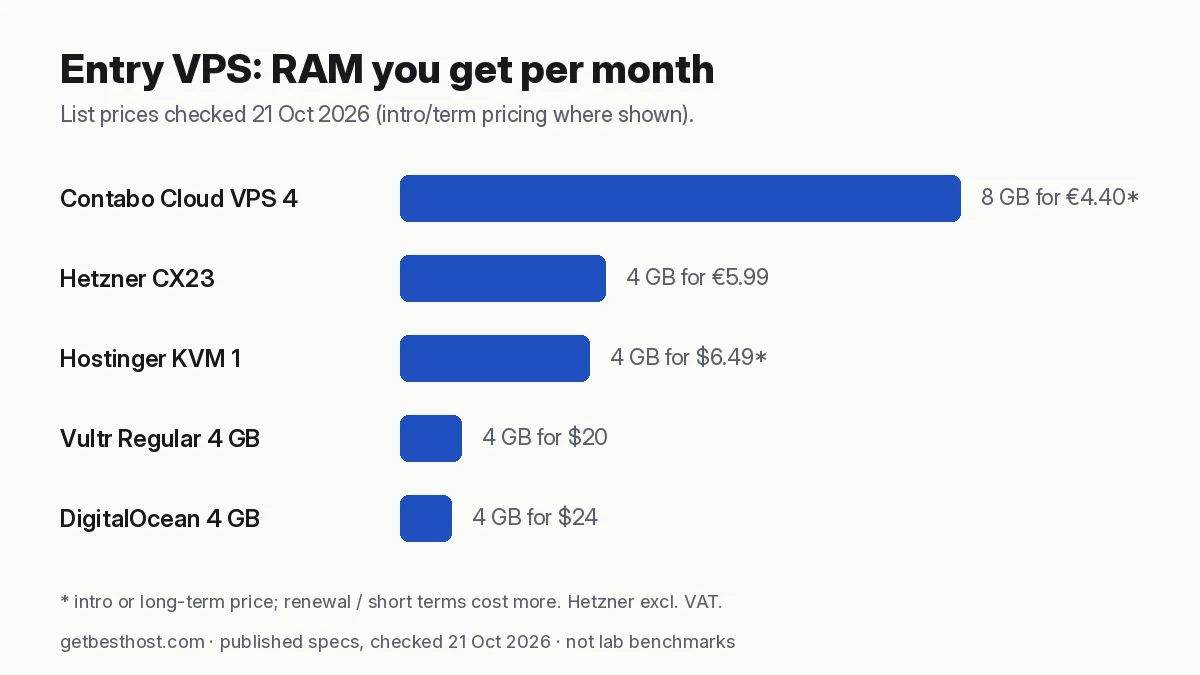
Quick answer: Ollama's long-standing guidance is at least 8 GB RAM for 7B models, 16 GB for 13B and 32 GB for 33B. Quantized 7B–8B models run on a CPU-only VPS such as Contabo Cloud VPS 6/8 (12–24 GB), but slowly. That suits background jobs, not live chat. For responsive chat or anything above ~14B, rent a GPU by the hour. Vultr's page listed an NVIDIA A16 (16 GB) from $0.471/hr and an L40S (48 GB) from $1.671/hr on 21 Oct 2026. Shut it down when idle.
How much memory a model needs
A useful rule: memory ≈ parameters × bits per weight ÷ 8, plus 10–30% for context (the KV cache) and runtime overhead. Ollama's default downloads are 4-bit quantized.
| Model size (4-bit) | Weights | Practical RAM/VRAM | Where it runs well |
|---|---|---|---|
| 1B–3B (Llama 3.2, Gemma small) | 1–2 GB | 4 GB | Any VPS, even CPU |
| 7B–8B (Llama 3.1 8B, Qwen 7B, Mistral 7B) | ~4.5–5 GB | 8 GB min, 12–16 GB comfy | Large-RAM CPU VPS (slow) or 16 GB GPU |
| 13B–14B | ~8–9 GB | 16 GB | 16–24 GB GPU |
| 30B–34B | ~18–20 GB | 32 GB | 48 GB GPU (L40S class) |
| 70B | ~40 GB | 48 GB+ | 48–80 GB GPU |
Ollama's README has long stated similar minimums: 8 GB RAM for 7B, 16 GB for 13B and 32 GB for 33B models.
CPU-only VPS: what to expect
On a CPU-only VPS, speed depends on memory bandwidth and the number of real cores. Shared vCPUs on budget plans are the slowest case. A small model can feel usable. A 7B–8B model on a budget VPS often produces only a few tokens per second. It is fine for:
- summarizing emails or tickets overnight,
- tagging and classifying records in n8n,
- private embeddings and search over your documents.
It isn't fine for real-time chat with many users.
Best value for RAM: Contabo's Cloud VPS 6 (6 vCPU, 12 GB, from €6.00/mo on a 24-month term) and Cloud VPS 8 (8 vCPU, 24 GB, from €11.20/mo) are the cheapest ways we found to hold a 7B–14B model in memory. Visit Contabo.
GPU cloud by the hour
For fast output, the model must fit in GPU memory (VRAM). Renting by the hour means a GPU you use two hours a day costs a fraction of a monthly server.
| Provider | GPU option seen on pricing page (21 Oct 2026) | VRAM | Listed price |
|---|---|---|---|
| Vultr | NVIDIA A16 (fractional/virtual) | 16 GB | from $0.471/hr |
| Vultr | NVIDIA L40S | 48 GB | $1.671/GPU/hr |
| DigitalOcean | GPU Droplets (H100, L40S and others) | varies | see pricing page |
| Akamai (Linode) | GPU instances (RTX 4000 Ada) | 20 GB | see pricing page |
Published prices only; we have not benchmarked these instances. GPU availability differs by region and some accounts need approval first.
Tips to keep GPU bills low:
- Script the setup (cloud-init or Docker) so a fresh GPU server is ready in minutes.
- Store models on a volume or object storage so you don't download 20 GB every time.
- Destroy the instance when you're done. A stopped instance may still be billed at some providers.
The hybrid setup most agent builders use
- A cheap 4–8 GB VPS runs the agent, n8n and the database 24/7 (sizing guide).
- Everyday reasoning goes to a hosted API model.
- Private or bulk jobs go to Ollama, on a big-RAM CPU VPS or an hourly GPU.
Security for Ollama on a server
Ollama's API listens on port 11434 with no authentication. Keep it bound to 127.0.0.1. If another server needs it, connect over a private network, WireGuard or Tailscale, or put it behind a reverse proxy with authentication. Open Ollama ports are actively scanned and abused.
Related: How to host an AI agent on a VPS · Hetzner vs Contabo
Minimal, safe Ollama setup on a VPS
- Start with Ubuntu 24.04, an SSH key, and a firewall that allows only port 22 (plus 80/443 if you put a web UI behind a reverse proxy).
- Install Ollama with the official install script from ollama.com, then pull a model, for example
ollama pull llama3.1:8b. - Ollama listens on
127.0.0.1:11434by default. Keep it that way. The API has no authentication, so exposing port 11434 to the internet lets anyone use your server. Reach it through an SSH tunnel (ssh -L 11434:localhost:11434 user@server), Tailscale, or a reverse proxy with authentication. - If you want a chat interface, run Open WebUI in Docker on the same server and protect it with its own login and HTTPS. See the self-hosted AI agent stack.
- Add swap only as a safety net. A model that spills into swap is unusably slow.
Choosing the quantization
Ollama's default tags are usually 4-bit (Q4) quantizations, which roughly quarter the memory of the full-precision weights with modest quality loss. If you have spare RAM, a Q5 or Q8 variant of the same model improves quality at the cost of memory and speed. If you are short on RAM, step down a model size before going below 4-bit. A smaller model at Q4 usually beats a bigger model squeezed to 2–3 bits.
Cost comparison: CPU VPS vs hourly GPU
Using published list prices (21 Oct 2026): Contabo Cloud VPS 8 (24 GB RAM) is €11.20/mo on a 24-month term, enough memory for 7B–14B models, but output is slow. Vultr's 16 GB A16 GPU option is listed from $0.471/hour. Two hours a day for 30 days is about $28. A 48 GB L40S at $1.671/hour costs about $100 for the same 60 hours. For always-on background jobs, the CPU VPS is cheaper. For fast interactive use a few hours a day, an hourly GPU you destroy afterwards is usually the better deal. Size your mix with the VPS calculator, and compare monthly plans in the comparison matrix.
Sources
Model memory figures follow the formula above and Ollama's published guidance. VPS and GPU prices come from the providers' official pricing pages, checked 21 Oct 2026, and are listed in our open price dataset. We have not benchmarked tokens-per-second on these servers. When we do, we will publish the method and date.