
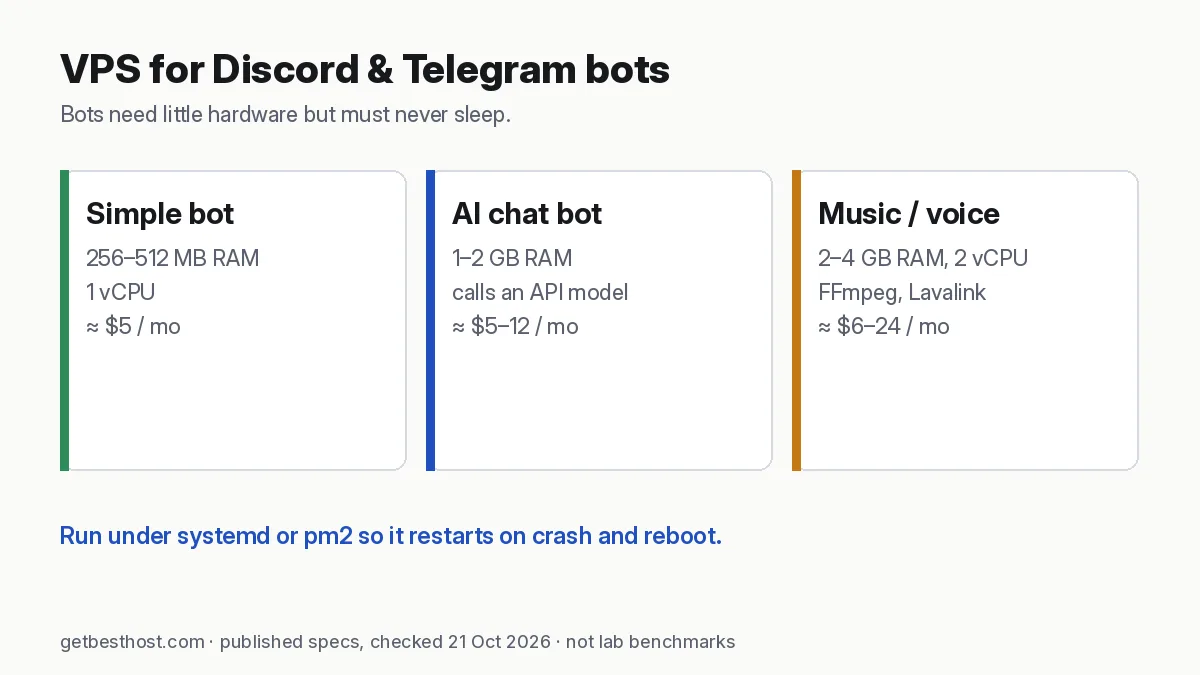
Quick answer: A typical Discord or Telegram bot (Python or Node.js) runs comfortably on a 1 GB RAM, 1 vCPU VPS. Good cheap options checked on 21 Oct 2026: Vultr Regular 1 GB ($5/mo), Akamai/Linode 1 GB (~$5/mo), DigitalOcean 1 GB ($6/mo) and Hetzner CX23 (2 vCPU, 4 GB, €5.99/mo, the most headroom for the money). Choose 2–4 GB if the bot calls AI models with large contexts, handles music or voice, or runs in many servers. Run it under systemd or pm2 so it restarts automatically.
How much server does a bot need?
| Bot type | RAM | vCPU | Notes |
|---|---|---|---|
| Simple command/moderation bot | 256–512 MB | 1 | discord.py, discord.js, python-telegram-bot, Telegraf |
| Bot with database (SQLite/Postgres) | 1 GB | 1 | Add swap |
| AI chat bot (calls an API model) | 1–2 GB | 1–2 | Memory for conversation history and libraries |
| Music/voice bot (FFmpeg, Lavalink) | 2–4 GB | 2 | Bandwidth and CPU spikes |
| Bot + dashboard + n8n | 4 GB+ | 2 | See n8n requirements |
Cheapest reliable VPS plans for bots (21 Oct 2026)
| Provider | Plan | Specs | Listed price | Why pick it |
|---|---|---|---|---|
| Vultr | Regular Cloud Compute | 1 vCPU / 1 GB / 25 GB | $5/mo (hourly) | Many Asia regions incl. Singapore, Mumbai, Tokyo |
| Akamai (Linode) | Shared 1 GB | 1 vCPU / 1 GB | $0.0075/hr (~$5/mo) | Simple, solid network |
| DigitalOcean | Basic Droplet | 1 vCPU / 1 GB / 25 GB | $6/mo (per-second) | Best tutorials, Singapore and Bangalore |
| Hetzner | CX23 | 2 vCPU / 4 GB / 40 GB | €5.99/mo excl. VAT | Most headroom for the price |
| Hostinger | KVM 1 | 1 vCPU / 4 GB / 50 GB | $6.49/mo intro (renews $11.99) | Easiest panel, weekly backups |
Published list prices from each provider's pricing page; not GetBestHost benchmarks. Some links are affiliate links (disclosure).
Keep the bot running: systemd
Create /etc/systemd/system/mybot.service:
[Unit]
Description=My bot
After=network-online.target

[Service]
User=bot
WorkingDirectory=/home/bot/app
EnvironmentFile=/home/bot/app/.env
ExecStart=/home/bot/app/venv/bin/python bot.py
Restart=always
RestartSec=5

[Install]
WantedBy=multi-user.target
Then run systemctl enable --now mybot and follow the logs with journalctl -u mybot -f. For Node.js bots, pm2 does the same job (pm2 start index.js && pm2 save && pm2 startup).
Security basics for bot servers
- Keep your bot token in
.env(chmod 600) and never commit it. If it leaks, regenerate it right away in the Discord Developer Portal or with BotFather. - Use SSH keys and a firewall that only allows SSH. Bots make outbound connections, so they need no open inbound ports, except for Telegram webhooks behind HTTPS.
- Run the bot as a non-root user, and patch the OS automatically.
Webhook vs polling (Telegram)
Polling (getUpdates) is simplest and needs no domain. Webhooks scale better, but they need a public HTTPS endpoint, which means a domain and a reverse proxy such as Caddy. For one bot on a small VPS, polling is fine.
Verdict
- Cheapest with Asia regions: Vultr $5.
- Most RAM per euro: Hetzner CX23.
- Best docs for first-timers: DigitalOcean $6.
- Point-and-click panel plus backups: Hostinger VPS.
Building an AI bot? See best VPS for AI agents and how to host an AI agent on a VPS.
Pick the region by where the API lives
A bot's latency that matters is between your server and Discord's or Telegram's servers, not between you and the server. Discord's gateway and Telegram's Bot API are served from large global networks, so a server in a major hub such as Singapore, Frankfurt or US-East usually performs well. For voice and music bots, choose the region closest to most of your users. For AI bots, the call to the model API (OpenAI, Anthropic, Google) is usually the slowest step, so a well-connected hub matters more than being in your own country. Measure from your browser with the latency test if you also serve a web dashboard.
Running several bots on one server
One 1–2 GB VPS can run several small bots, each as its own systemd service or pm2 process, or in separate Docker containers with memory limits (--memory=256m). Keep each bot's token in its own .env file and run each under a separate user or container. One crash or leaked token then does not affect the others. Set up log rotation (journald does this by default, and pm2 has pm2-logrotate) so logs do not fill a small disk.
Monitoring for free
- Add a
/healthHTTP endpoint (for webhook bots) or a heartbeat message, and point a free uptime monitor at it. - Use
Restart=alwaysin systemd, as shown above, so crashes recover in seconds. - Watch memory with
free -handsystemctl status. If a Python bot slowly grows in memory, restart it nightly with a systemd timer as a stop-gap while you find the leak.
What a bot costs over a year
At published list prices (21 Oct 2026): Vultr's 1 GB plan is $5/mo, or $60 a year. Hetzner CX23 is €5.99/mo (€71.88 a year, excl. VAT) with 4 GB of headroom. Hostinger KVM 1 is $6.49/mo on a 24-month term ($77.88 for the first year), then renews at $11.99/mo. If you might add an AI model, n8n or a dashboard later, the extra RAM on the 4 GB plans saves a migration. Compare in the true-cost calculator, and see all VPS profiles in the provider directory.